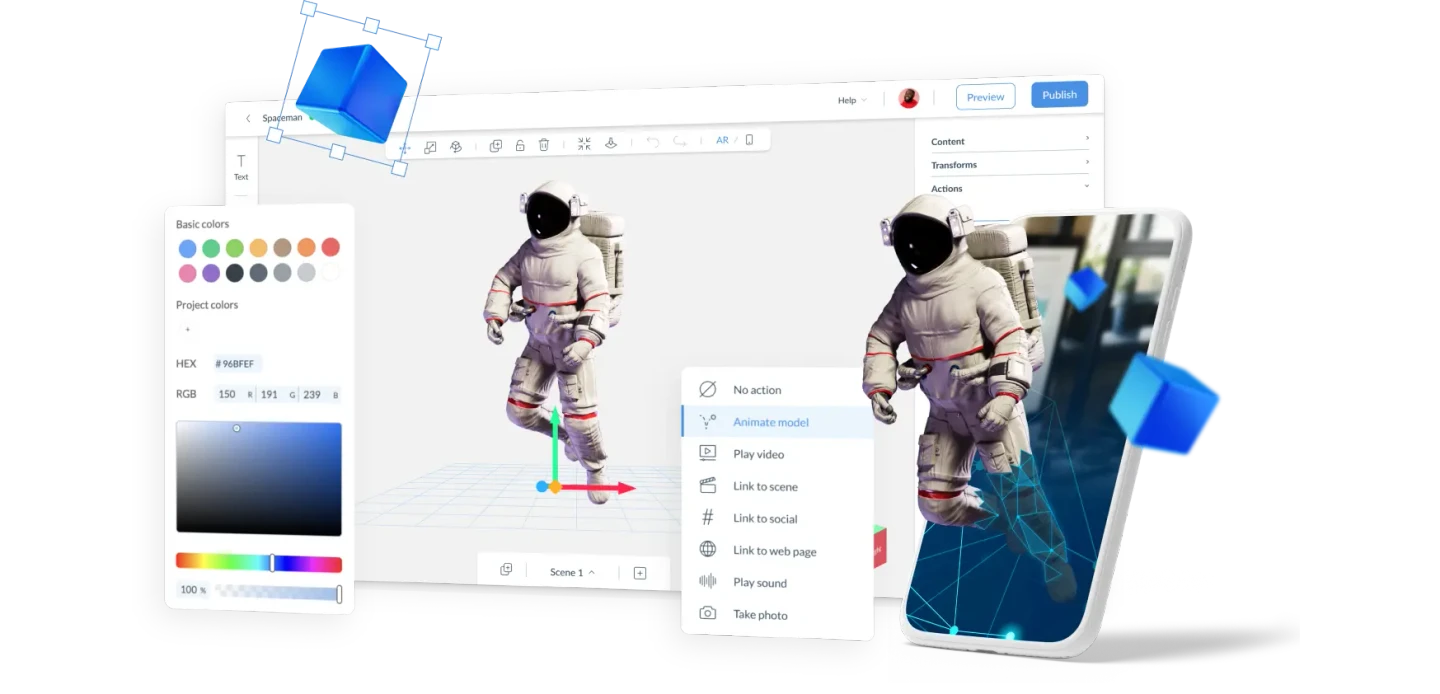
Context
Zappar's original AR authoring tool dated from 2012. It let users drag images and videos onto a static canvas and create basic AR experiences without writing code. A small but dedicated group of users had made impressive things with it. But it was outdated, increasingly buggy, and resisting the direction Zappar needed to go.
I was brought in to lead a complete rethink. Not a patch on top of the existing tool. A new product, built from scratch, that took what the legacy version had proved users wanted and rebuilt it properly.
The Problem
Legacy Designer had shown that non-technical creators would engage with AR if the tool met them where they were. That was the valuable insight. The problem was that the tool itself was standing in their way.
Hidden controls. Confusing interactions. A small, static canvas that couldn't grow with what users wanted to make. I ran a heuristic evaluation I called "The Super-Duper Critique": a deep immersion in the legacy tool as a hyper-critical user, mapping every point where the logic broke down. The picture it produced was clear. The mental model of the tool was misaligned with how its most motivated users actually worked.
To grow, Zappar needed a version that kept what worked, fixed what didn't, and opened the door to a generation of creators the platform hadn't yet reached.
Research & Discovery
I ran discovery sessions with the people Zappar needed to reach: educators, brand managers, marketers. People motivated to use AR but being stopped at the front door. I watched them try to build experiences, noted where they stalled, and listened to the language they used when they described what they wanted to make.
I supplemented this with surveys and interviews that surfaced a diverse range of user needs, frustrations, and aspirations. The findings confirmed what the support data already suggested. The problem was not missing features. It was that the tool's underlying structure fought users at every step.
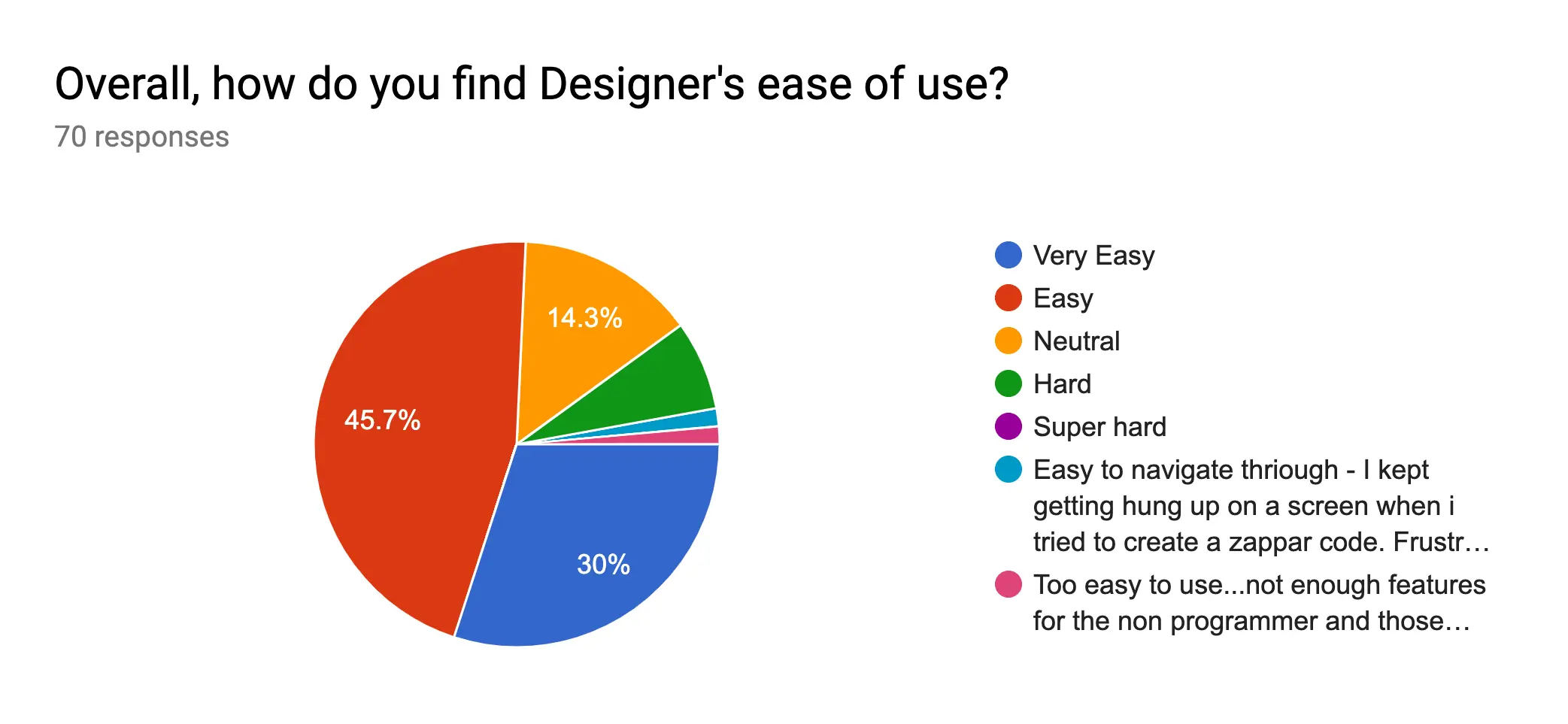
Key Findings
- Non-technical creators weren't struggling with complexity. They were struggling with a tool that didn't reflect how they thought about building something. The concepts didn't map to their mental models.
- The object-and-conditions mental model was already in how non-developers described their goals. "I want this to appear when the camera sees the marker." The tool needed to speak that language directly.
- Timeline editors, the obvious pattern for animation tools, were wrong for this audience. Video editors understand timelines. Brand managers do not. Mapping interaction to states rather than time made the system learnable without instruction.
- Scope was a design decision, not a resource constraint. Every extra feature in year one was another obstacle between a new user and their first successful experience.
My Thinking
The first decision was the product model itself. The PM, Chris Holton, and I chose to maintain feature parity with Legacy Designer in V1, prioritising the most-used features rather than expanding the set. This protected existing users from disruption and let us prove the new UX on familiar ground before going further.
V1 was deliberately narrow in scope: 2D only, image-tracking only, with an infinite canvas that let users navigate freely. That constraint was intentional. The core loop had to be completable without any help at all. Every feature we deferred was one fewer obstacle between a new user and their first success.
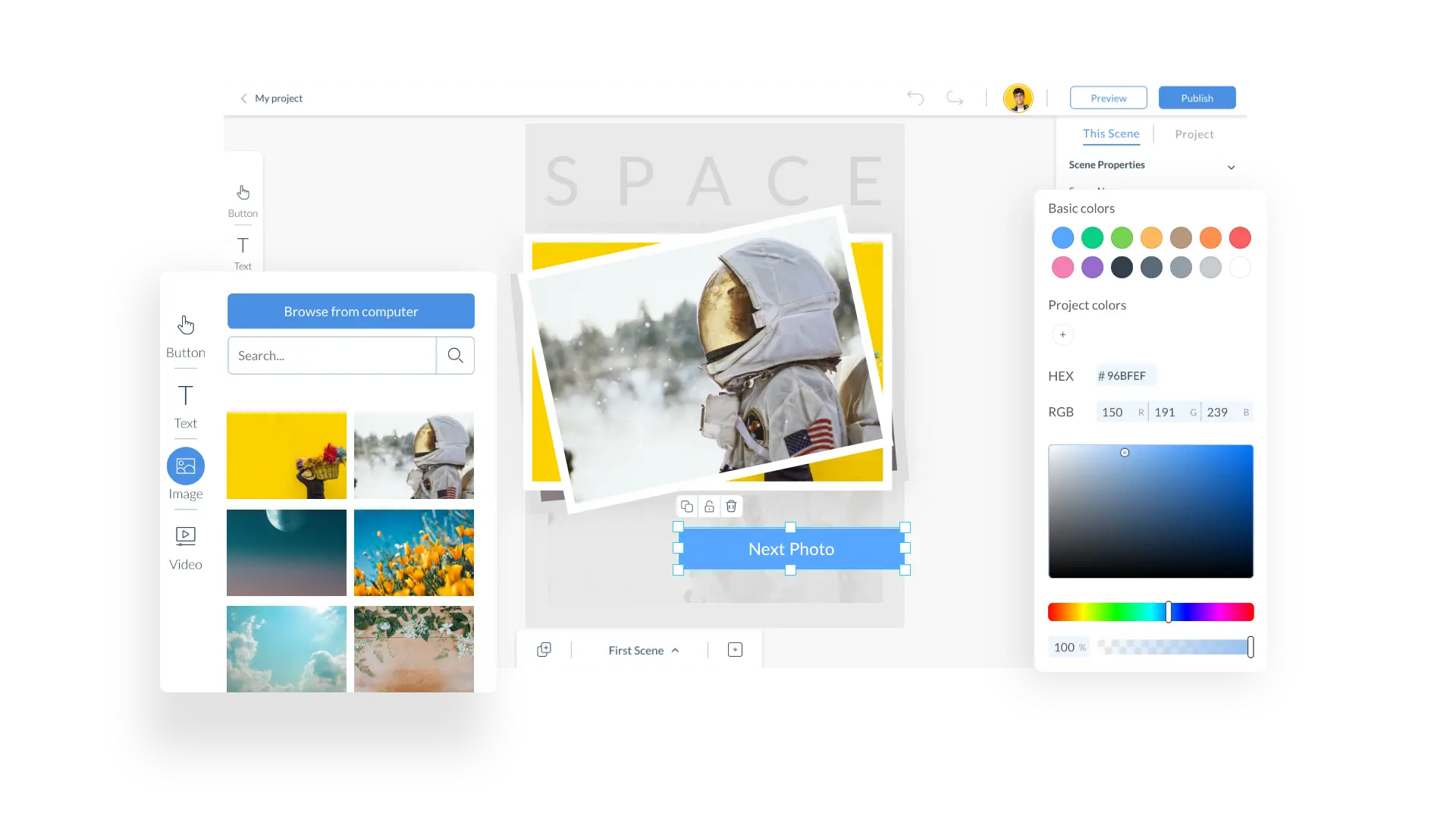
The second decision was the interface model. I designed the new platform to feel familiar to anyone who had used a design tool before: visually similar to Sketch or Figma, but with the simplicity of Canva. The interface was structured into four distinct panels: a Components Panel for digital elements, a Context Bar for scene manipulation controls, an Inspector Panel for project and component settings, and a Scene Manager for navigating and editing scenes. Clear, learnable, no hidden logic.
Within the canvas, I chose an object-and-states metaphor over a timeline editor. A brand manager building a product launch experience thinks in terms of things and conditions: this object appears when the marker is detected, that sound plays when this is tapped. The states model made that immediately legible. A timeline would have required teaching a completely foreign mental model before anyone could build anything useful.
My Role & The Team
It started with two of us. Justin Rhodes was my engineering partner from day one. We built Designer from scratch together. He built what I designed. We worked closely enough that design intent consistently survived implementation, which is rarer than it sounds and was foundational to how the early product held together.
Dave Huscroft joined as a Senior Software Engineer and became a useful critical voice. Having someone push back from an engineering perspective before decisions got expensive to change was something I leaned on regularly.
After launch, Lucy Nechaeva joined as a Product Designer and worked alongside me, taking on new feature work and extending the platform considerably. As the team grew, I moved into a direction and mentoring role: setting quality standards, reviewing work, developing the team. Lucy eventually took over the Designer role entirely when I moved on. Engineering owned implementation. I owned the experience and the team's direction while I was there.
Joe and I started the no-code Designer tool from scratch back in the day. His input was and is fundamental to the success this tool enjoys today.
The Outcome
Zapworks Designer became Zappar's fastest-growing product. Thousands of projects created across 187 countries. Education, retail, events, marketing: all sectors that were previously underserved, now building on the platform without friction.
It was recognised externally as one of the most intuitive no-code AR tools on the market. It became the foundation for Zappar's enterprise push. Over the years it grew from a 2D image-tracking tool into a full 3D platform with World and Face tracking.
It's the project I'm proudest of. The one I called "Designer's designer" for years, because that's what it felt like. And it still works the way I designed it.
View Zapworks Designer ↗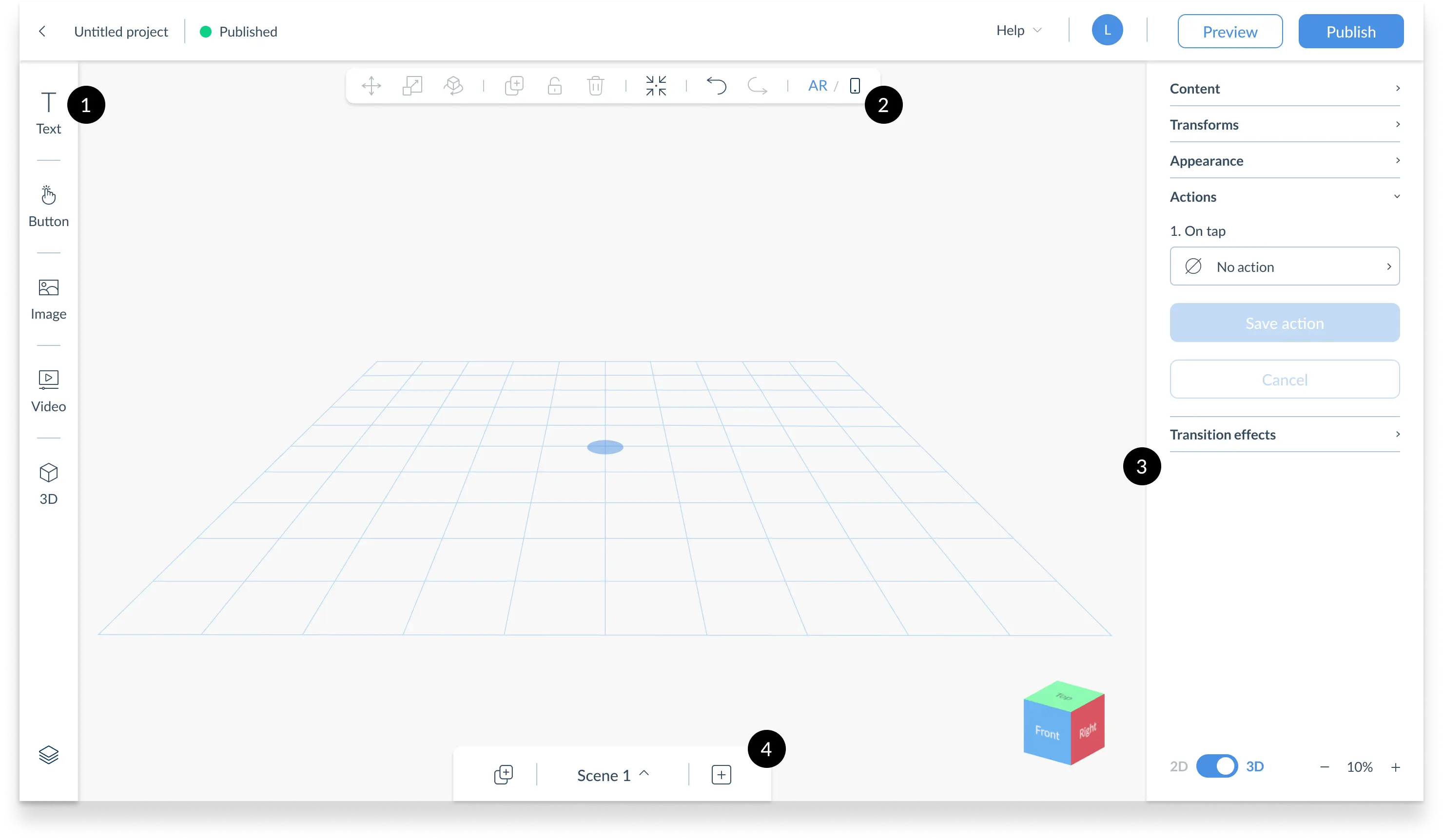
Joe has been one of the best people I've ever worked with, as a manager, mentor, and friend. He always advocates for his team. He's taught me so much over the years in all aspects of design.

What's Next
The foundation Designer built is being extended to support more complex spatial tracking and deeper 3D asset handling. The challenge, as the platform grows into new AR modalities, is keeping the simplicity intact. That's a harder design problem than the original one.